

Artificial Intelligence is no longer something we imagine for the future—it’s already a part of our everyday life. Today, we use AI tools to write content, design graphics, create videos, solve problems, and even manage office tasks. The best part is that you don’t have to be highly technical to use them. A simple prompt is enough to complete work that once took hours. As 2025 unfolds, AI tools are becoming even smarter, faster, and more creative. They help students learn more effectively, support professionals in their jobs, assist businesses with important tasks, and empower creators to produce high-quality content with ease. In this blog, we’ll explore the Top 5 AI tools of 2025, understand what makes them so useful, and see how they can boost your productivity and creativity.
What Makes ChatGPT the #1 AI Tool?
ChatGPT has grown into one of the most widely used digital assistants in the world. It understands your questions almost like a real human, creates high-quality content, helps solve complex tasks, and even gives personalized suggestions based on your needs. With its ability to work across text, images, audio, and even video, ChatGPT stands out as one of the most versatile AI tools of 2026.
Key Features of ChatGPT
Highly advanced natural language understanding
Creates all types of content—blogs, ads, scripts, captions, emails, and academic writing
Assists with coding, debugging, and generating full applications
Generates ideas for marketing, business planning, and creativity
Multimodal features for image analysis, voice interaction, and design support
Custom GPTs for specialized tasks
Memory feature to offer more personalized and consistent help over time
Best Use Cases
ChatGPT is perfect for:
Bloggers and writers
Digital marketers
YouTubers and content creators
Business owners
Students and researchers
Developers and designers
Pros
Highly accurate responses
Very fast output
Works across almost every industry
Saves hours of work with quick automation
Cons
Needs clear prompts for best results
Most powerful features are available in paid plans
Why Chat GPT Stands Out
Chat GPT is a complete AI companion—smart, reliable, fast, and incredibly creative. Whether you need to write a long-form blog, brainstorm ideas, design content, or build marketing strategies, ChatGPT remains one of the most powerful tools you can use today.
2. Gemini (Google): The Best AI Tool for Research & Productivity

Google Gemini (previously Bard) has become a top competitor in the AI space. It is deeply integrated with Google Workspace—making it the best tool for research, data analysis, and productivity.
Why Gemini Is Trending in 2026
Gemini’s biggest superpower is its connection with Google Search. It provides real-time, accurate information from the web, making it perfect for:
✔ Research
✔ Market analysis
✔ Summaries
✔ Data insights
✔ Educational content
Key Features
- Real-time web research
- Summaries of long articles, PDFs, or videos
- Integration with Google Docs, Sheets, Slides
- Image and video understanding
- Context-aware answers using Google’s ecosystem
- Step-by-step problem-solving for students
Best Use Cases
- Market research
- Competitive analysis
- Study and exam preparation
- Content outline generation
- Data interpretation in Google Sheets
- Professional productivity tasks
Pros
- Real-time, accurate information
- Google Workspace integration
- Easy to use
Cons
- Creativity slightly lower than ChatGPT
- Requires Google login for full access
Why Gemini Stands Out
It’s the best AI tool for professionals and students who rely heavily on research. If you live in Google Docs, Sheets, YouTube, or Gmail—Gemini is your smartest companion.
3. Microsoft Copilot: The AI Tool for Work, Office, and Coding
Microsoft Copilot is redefining the professional workspace. Integrated directly into Windows, Microsoft Office, and coding tools like VS Code, it helps you automate tasks that normally take hours.
What Makes Copilot Powerful?
Copilot is everywhere—Excel, PowerPoint, Word, Outlook, Teams, GitHub, and even Windows OS. It handles work tasks like:
✔ Writing emails
✔ Creating presentations
✔ Cleaning data in Excel
✔ Making reports
✔ Writing and debugging code
Key Features
- Integrated into Microsoft 365 apps
- Code generation in GitHub Copilot
- Automated report creation
- PowerPoint slide generation from text
- Data cleaning & formula generation in Excel
- Professional email writing
- Natural language commands for Windows
Best Use Cases
- Corporate professionals
- Developers
- Analysts
- Managers
- Students using MS Office
- Teams who collaborate remotely
Pros
- Industry-level productivity
- Saves up to 60% of daily work time
- Great for coding and office work
Cons
- Best features are paid
- Works best inside Microsoft ecosystem
Why Copilot Stands Out
It’s the perfect AI for office professionals. From writing documents to analyzing large datasets—Copilot gives superpowers to employees and businesses.
4. Canva AI – The Best Free Design Tool for Marketers
Why It Matters
Marketing isn’t only about writing good content — visuals play an equally important role in grabbing attention. Canva AI makes professional-quality design possible even for people with zero graphic design experience.
With its free plan, you get access to powerful AI tools such as:
-
Magic Write
-
Magic Design
-
AI Image Generator
-
Magic Eraser
-
Auto-resize options
-
Quick animation tools
These features make Canva one of the most valuable tools for social media managers, creators, small business owners, and anyone who needs attractive visuals without hiring a designer.
What You Can Create With the Free Version
1. Social Media Content
Canva’s library and AI tools allow you to easily design:
-
Instagram posts and stories
-
Reels thumbnails
-
Facebook and LinkedIn creatives
-
YouTube channel banners
2. Marketing Materials
You can also create all types of marketing graphics, including:
-
Brochures
-
Flyers
-
Posters
-
Ad banners
-
Ebook covers
-
Presentations
3. Brand Assets
Build your brand identity with:
-
Logos
-
Color palettes
-
Reusable templates
-
Business cards
4. AI Image Generation
If you need a unique visual, just describe it. For example:
“Create a digital marketing–themed background with neon colors.”
Canva’s AI will generate your image in seconds.
Why Marketers Love Canva
-
Super simple drag-and-drop editor
-
Huge collection of free templates
-
AI makes designing faster and easier
-
Team collaboration is smooth
-
Perfect for creating large batches of content in less time
5. Copy.ai – A Free AI Copy Generator for Ads, Emails, and Social Media
Why It Matters
Copywriting is one of the most powerful parts of marketing. Whether you’re running ads, writing captions, promoting a product, or sending emails, the right words can determine whether someone scrolls away or decides to take action.
Copy.ai helps marketers produce strong, engaging copy in seconds. It’s especially good for writing:
Attention-grabbing ad headlines
High-converting landing page text
Sales and promotional emails
Social media captions
Product descriptions
Cold outreach messages
It’s like having a mini copywriting team built into your computer.
What the Free Plan Can Do
1. Generate High-Quality Short-Form Copy
Copy.ai is designed for short, impactful content—perfect for:
Ads
Captions
Headlines
CTA buttons
Product taglines
It generates clear, catchy lines that are ready to use.
2. Produce Multiple Variations
Need options? Copy.ai can create:
10–20 ad versions
15 caption alternatives
20+ CTA ideas
This makes it ideal for A/B testing and experimenting with different styles.
3. Choose Any Tone You Want
You can tell the tool to write in tones like:
Professional
Friendly
Humorous
Bold
Persuasive
Luxury
This helps you match your brand voice instantly.
4. Generate Email Sequences
Copy.ai can also create:
Sales email series
Follow-up messages
Engagement workflows
This is especially helpful for email marketers and small businesses who need consistent communication with leads.
Why Marketers Love It
Extremely fast
Perfect for ad copy and short messaging
Helps create punchy, memorable lines
Great for breaking creative block
Saves money on hiring copywriters
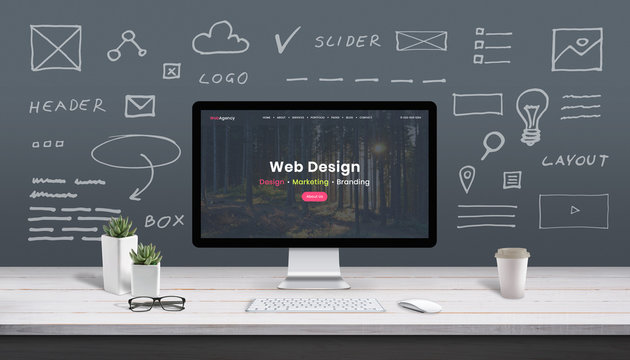
Website Designing: A Beginner-Friendly Guide for 2026
In today’s world, your website is usually the first thing people see about your business. It acts like your online shop, office, or portfolio — and the design of your website plays a huge role in whether people trust you, contact you, or buy from you.
The good news?
Website designing is no longer complicated or only for tech experts. With modern tools and AI, anyone can create a beautiful, functional website in a short amount of time.
This guide will help you understand what website designing really is, why it matters, and how you can build a great website even if you’re a complete beginner.
What Is Website Designing?
Website designing is basically how your website looks and feels. It includes things like:
- Choosing colors
- Picking the right fonts
- Arranging content properly
- Designing the layout
- Making sure the site works well on mobile
- Ensuring the user has a smooth experience
Think of it as decorating your home — but online.
Why Website Designing is Important
A well-designed website can make a massive difference. Here’s why:
1. It Builds Trust
People judge your business within seconds. A clean and modern design helps you look professional and reliable.
- It Keeps Visitors on Your Page
If your website is easy to use and loads quickly, people will stay longer.
3. It Helps You Get More Leads and Sales
Good design encourages people to take action — whether that’s booking a service, contacting you, or buying a product.
4. It Shows Your Brand Identity
Your design should reflect who you are as a brand.
5. It Improves Your SEO
Search engines prefer websites that are structured well and easy to navigate.
Important Elements of a Good Website Design
To make your website effective, focus on these:
1. Simple and Clean Layout
Don’t overload the page. Give visitors space to breathe.
2. Clear Visual Flow
Important stuff like headings and CTAs should stand out.
3. Mobile-Friendly Design
Most people browse on their phone. Your site must look good on all devices.
4. Fast Loading Speed
Slow sites lose visitors fast.
5. Easy Navigation
Menus should be simple and user-friendly.
6. Consistent Branding
Use the same colors, fonts, and style across your website.
7. High-Quality Images
Good visuals instantly make your website more appealing.
8. Strong & Clear CTA Buttons
Examples:
- “Get Started”
- “Contact Us”
- “Book Now”s of Websites You Can Create
You can build any type of website today without writing a single line of code, such as:
- Business websites
- E-commerce stores
- Portfolios
- Blogs
- Landing pages
- Service websites
- Personal branding sites
- Event pages
Best Tools for Website Designing (No Coding Needed)
These platforms are beginner-friendly and powerful:
1. WordPress
Great for blogs, business websites, and SEO.
2. Wix
Perfect for beginners with drag-and-drop features.
3. Canva Websites
Good for simple one-page, beautiful layouts.
4. Webflow
Best for modern, animated, professional designs.
5. Shopify
Ideal for online stores.
How to Design a Website (Step-by-Step)
Here’s a simple, easy process:
Step 1: Decide What Your Website Is For
Is it for selling products? Building credibility? Showing your portfolio? This will guide your design.
Step 2: Choose a Platform
Pick what suits your need — WordPress, Wix, Shopify, Webflow, etc.
Step 3: Select a Template
Choose a design layout that matches your brand style.
Step 4: Customize the Design
- Add your images
- Adjust colors
- Edit text
- Add buttons
- Add your logo
Step 5: Check Mobile View
Make sure it looks good on phones and tablets.
Step 6: Add Important Pages
- Home
- About
- Services / Products
- Contact
- Blog
- Privacy Policy
Step 7: Test and Publish
Check links, test on mobile, fix errors — then go live!
Trending Website Design Styles in 2026
Want your website to look modern? Use:
- Minimal design
- Big bold fonts
- Light/dark mode
- Smooth animations
- 3D illustrations
- AI-generated visuals
- Glassy, gradient backgrounds
- Full-screen hero banners
Conclusion
Website designing is not just about making a site look attractive — it’s about creating a smooth, user-friendly experience that represents your brand and helps you grow online.
With the tools available today, anyone can design a professional website without coding or technical skills. Whether you’re starting a business, building a personal brand, or creating an online portfolio, good design will make you stand out.
What Is On-Page SEO?
On-page SEO is everything you do on your website to help Google understand your content and rank it higher.
Think of it like arranging your room before guests arrive — you clean it, organize things, and make everything easy to find.
On-page SEO does the same thing for your web pages.
It helps search engines figure out:
- What your page is about
- Who the content is meant for
- Why it deserves to be shown to more people
When you get it right, you’ll see better rankings, more visitors, and a stronger online presence.
Why Does On-Page SEO Matter?
Because even the best content won’t rank if Google can’t understand it.
Good on-page SEO makes your content:
- Clear
- Organized
- Relevant
- Easy to read
It improves both user experience and search engine visibility, which is the perfect combination for long-term growth.
Important Parts of On-Page SEO
1. Title Tags
This is the main title that appears in Google search results.
A good title:
- Contains your main keyword
- Is short and clear (50–60 characters)
- Makes people want to click
Example: “Beginner’s Guide to Digital Marketing in 2026”
2. Meta Description
This is the short description shown under your title on Google.
It should:
- Be around 150–160 characters
- Include your keyword
- Tell the reader what they will learn
A good meta description improves your click-through rate.
3. Clean, Simple URLs
SEO-friendly URLs help Google and users understand the page instantly.
Bad:
www.site.com/p=8674?xyz
Good:
www.site.com/digital-marketing-basics
4. Header Tags (H1, H2, H3…)
These are like chapters in your article. They break the content into smaller, readable sections.
- H1 = main heading
- H2 = subheadings
- H3 = points under subheadings
This makes your content easier for readers and search engines to scan.
5. Smart Keyword Placement
Your main keyword should appear naturally in:
- Title
- First paragraph
- Headings
- URL
- Meta description
- Image alt text
But don’t overdo it. Write like a human.
6. Quality Content
Google loves content that:
- Actually solves problems
- Is clear and helpful
- Is original
- Adds real value
Long, well-explained content generally performs better.
7. Image Optimization
Images make your content more attractive, but they can slow down your website if not optimized.
To optimize images:
Compress them
- Use clear file names
- Add alt text describing the image
Example alt text: “man working on digital marketing strategy on laptop”
8. Internal Links
These are links that connect one page on your site to another.
They help visitors explore more and help Google crawl your website better.
Example:
“Want to learn about SEO tools? Check out this article.”
9. Mobile-Friendly Design
Most people browse on mobile now.
If your website isn’t mobile-friendly, your rankings will drop.
Make sure:
- The design adjusts automatically
- Text is readable
- Buttons are easy to click
10. Page Speed
A slow website frustrates users and lowers ranking.
Improve speed by:
- Compressing images
- Removing unnecessary scripts
- Using fast hosting
Final Words
On-page SEO isn’t difficult — it’s about making your website clean, organized, and user-friendly.
When you take care of these basics, Google is more likely to trust your content and rank it higher.